
If you run a business, you know how much productivity and, ultimately, money even a relatively short power outage can cause. This is, of course, why many organizations with business-critical IT infrastructure have Uninterruptible Power Supplies, or UPS, to keep their infrastructure running through short power interruptions.
With three main types of UPS, though, it can be unclear what you actually need. Here is a quick breakdown of some of the pros and cons of each type to help you make a decision for your business.
Standby UPS
Also known as an offline UPS, a standby UPS operates strictly as a back-up, being on the circuit ‘alongside’ your infrastructure rather than between a power source and your systems. When a loss of power is detected, the standby UPS switches from charging to outputting power, which is why it’s on ‘standby’.
Standby UPS are the cheapest type of UPS by a reasonable margin, but because they do not interact with normal power flow, there is no power conditioning component, meaning power surges or a variable current can cause outages or damage to systems.

Line Interactive UPS
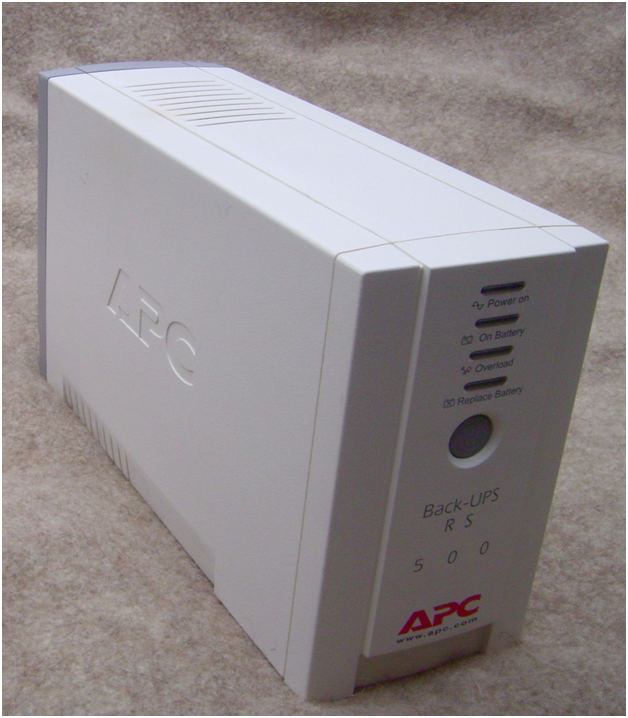
Line Interactive UPS are like standby UPS but offer some degree of power conditioning, keeping business-critical systems safer. Line Interactive Eaton UPS systems like those from http://www.cppsales.com/Eaton_UPS_Systems___Accessories-catid17 are always charging from the mains and always discharging into the circuit, so there is never a break in power and most variations in current can be mitigated by the UPS.
Online/Double Conversion UPS
Online UPS are, as the name implies, on the same line as the systems they protect. Instead of being ‘alongside’ and picking up slack, power flows through the online UPS system, so all power being used by your systems is conditioned by the UPS, and there is never any change in power flow.
Which to Pick?
First, if you run a UPS alongside a generator system, the only choice is an online UPS. Generators provide variable-frequency power, so the power conditioning of an online UPS makes it the only choice.
In most cases, your choice will be dictated by price and required capacity. If you want to keep a POS system or similar running, the cheapest standby UPS will be perfect. For more capacity at more cost, line interactive UPS are perfect. Online UPS are the largest and most expensive but offer the most protection.
Continuous or standby: which UPS suits you
Most UPS options fall into two broad groups. A continuous UPS runs all the time: the equipment draws power from it while it keeps charging, so if the mains fails there is no change at all for the system. A standby UPS sits ready and switches in within a few milliseconds of detecting a power loss.
Even small dips and surges, like the brief dimming of lights when an appliance starts, can crash systems, lose data and damage critical IT equipment. A continuous UPS smooths out these dips and spikes as well as covering full outages, giving far better protection than a standby unit.
Which one you need depends on how much your business relies on its IT. A standby UPS is relatively inexpensive if the main goal is to shut systems down safely and avoid data loss, though the price rises with battery capacity. For servers and other critical infrastructure, a continuous UPS is usually worth the extra cost, because losing an email or network server to a power surge can be very damaging for any business.
Pairing a UPS with a standby generator
A standby generator alone is not enough to protect business-critical IT. Servers are very sensitive to power fluctuations, even very short drops, and a generator typically takes between two and ten seconds to start, far longer than IT equipment can cope without power. Generators also supply power across a wider range of frequencies than the mains, even with a good governor.
Placing a UPS between the generator and your systems smooths out that supply. For this job, an online UPS is the right choice. An offline or hybrid unit is not the primary power source for the equipment, so the fluctuating frequencies from the generator would still reach it and could cause problems or damage.
As a minimum, the UPS should keep critical systems running for about five minutes, long enough for the generator to start or for a safe shutdown. Size the generator with the UPS in mind, allowing for roughly 15 per cent loss in conversion to battery power, and for longer outages avoid exceeding 65 per cent of the generator’s maximum capacity or step load.